Social Engineering Attacks Targeting Cannabis: The Human Firewall Guide

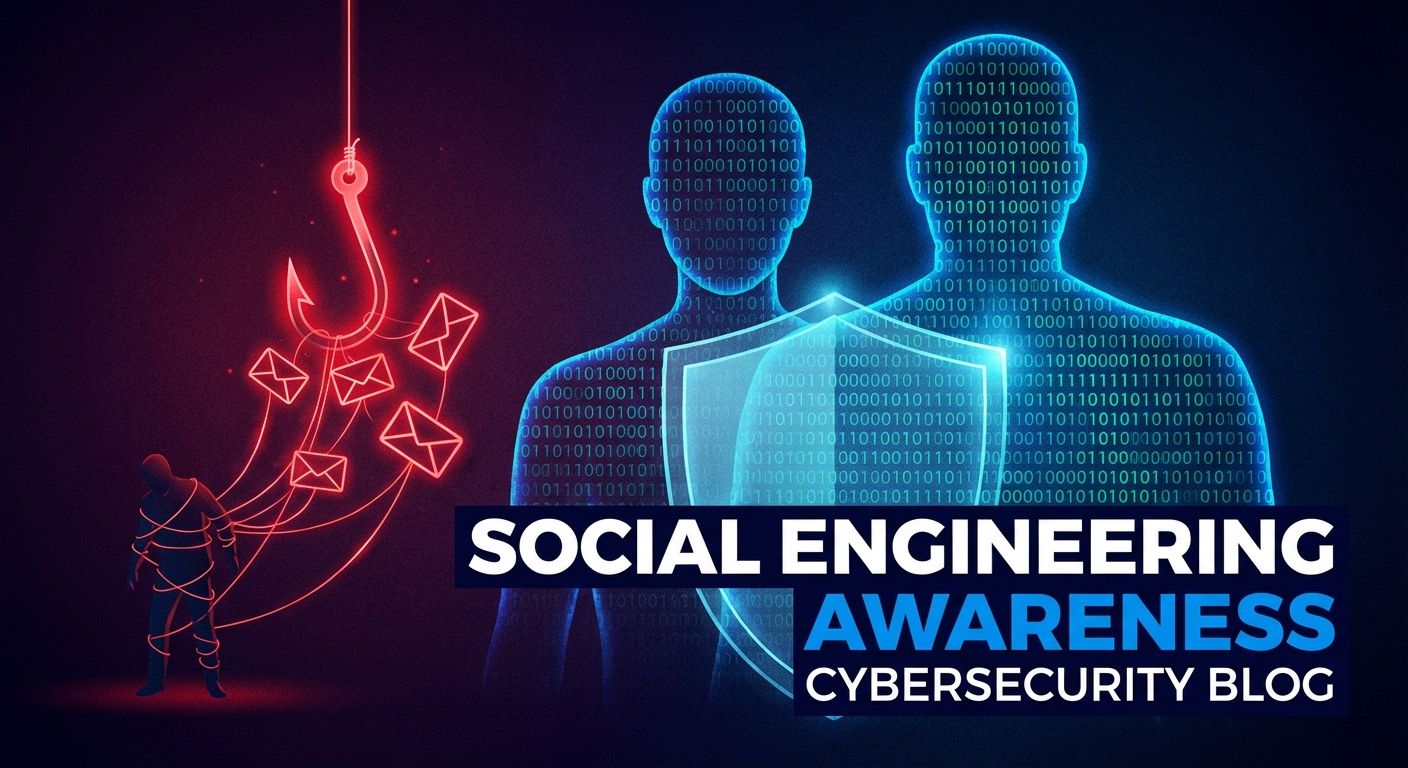
Your firewall is bulletproof. Your employees? That's where 95% of breaches begin. Here's how to build a human firewall for your cannabis operation.
The Human Vulnerability
You can spend millions on security technology, but one employee clicking the wrong link can render it all useless.
According to the Verizon Data Breach Investigations Report, 95% of successful cyberattacks involve human error. Attackers know this. Instead of trying to crack your encryption or bypass your firewall, they simply ask an employee to let them in—and it works.
For cannabis businesses, the stakes are even higher. Your employees have access to:
- Hundreds of thousands of customer records
- Government IDs and medical information
- METRC credentials and compliance systems
- Cash management schedules
- Delivery routes and timing
One successful social engineering attack can compromise all of it.
What Is Social Engineering?
Social engineering is the art of manipulating people into giving up confidential information or taking actions that compromise security. It exploits human psychology—trust, fear, urgency, helpfulness—rather than technical vulnerabilities.
Common social engineering tactics include:
- Phishing: Fraudulent emails designed to steal credentials or install malware
- Vishing: Voice phishing—phone calls impersonating trusted parties
- Smishing: SMS/text message phishing
- Pretexting: Creating a fabricated scenario to extract information
- Baiting: Offering something enticing (free USB drive, prize) to trick victims
- Tailgating: Following authorized personnel into restricted areas
- Quid Pro Quo: Offering a service in exchange for information
Cannabis-Specific Social Engineering Attacks
Attackers tailor their approaches to specific industries. Here's what's targeting cannabis:
1. The "METRC Support" Call
How it works:
Your compliance manager receives a call from someone claiming to be METRC support. They say there's a problem with your account—maybe a sync error, licensing issue, or audit flag. To "fix" it, they need your login credentials.
Why it works:
- METRC is critical—nobody wants compliance problems
- Staff may not know what legitimate METRC support looks like
- Fear of regulatory issues creates urgency
Real-world example:
A California dispensary's compliance manager received a call about "abnormal inventory discrepancies flagged by state regulators." The caller, posing as METRC support, offered to help resolve the issue immediately. They asked for login credentials to "run a diagnostic." The employee, fearing a regulatory audit, complied. The attackers used the credentials to access sensitive compliance data across multiple systems.
2. The Vendor Invoice Scam
How it works:
Your accounts payable team receives an invoice that looks legitimate—from your POS provider, security company, or another regular vendor. But the payment details have changed. "We've updated our banking information. Please use the new account for future payments."
Why it works:
- Cannabis businesses work with numerous vendors
- Invoice volumes can be high
- Payment information changes do happen legitimately
Red flags:
- Urgent requests to update payment information
- Emails from slightly different domains (vendorname.com vs. vendor-name.com)
- Poor grammar or formatting inconsistencies
- Requests to bypass normal approval processes
3. The "New Employee" Pretext
How it works:
Someone calls your front desk or emails an employee claiming to be a new hire from another location. "Hey, I just started at the [city] location and I'm trying to get set up in the system. Can you help me reset my password? IT is taking forever."
Why it works:
- Multi-location operations have employees who don't know everyone
- People want to be helpful to new colleagues
- IT bottlenecks are a common frustration
4. The Delivery Intercept
How it works:
An attacker calls your delivery dispatch posing as a customer. "I need to change my delivery address—I'm at work today instead of home." If successful, they intercept products (and potentially payment).
Why it works:
- Delivery operations often handle changes verbally
- Drivers want to be flexible with customers
- Verification procedures may be lax
5. The Regulatory Phish
How it works:
An email arrives appearing to be from your state cannabis authority, the DCC, or another regulatory body. "Your license renewal is past due—click here to resolve immediately or face suspension." The link leads to a credential harvesting page.
Why it works:
- Cannabis operators are heavily regulated
- Fear of license issues is intense
- Regulatory emails are taken seriously
Example email:
From: compliance@california-dcc.org (note: real is cannabis.ca.gov)
Subject: URGENT: License Compliance Violation - Action Required

Dear License Holder,

Our records indicate your establishment has failed to submit required
documentation. Your license will be SUSPENDED within 48 hours unless
you verify your account immediately.

[VERIFY LICENSE NOW]

California Department of Cannabis Control
6. The Job Applicant Attack
How it works:
Your HR team receives a resume for an open position. The resume is attached as a Word document or PDF with embedded malware. When opened, the malware executes.
Why it works:
- HR regularly opens documents from unknown senders
- Resumes are expected to be formatted documents
- Blocking all attachments would impair recruiting
Variation: The same attack works for customer complaints, supplier quotes, or any business document you'd normally expect to receive.
7. The Security Guard Social Engineer
How it works:
Someone approaches your security guard with a plausible story—"I'm here to inspect the fire suppression system" or "The owner called me to fix the HVAC." Without proper verification, they're granted access.
Why it works:
- Security guards want to be helpful
- Contractors and inspectors do show up
- Challenging people feels awkward
8. The "IT Upgrade" Pretext
How it works:
An attacker calls or emails employees claiming IT is upgrading systems. "We're migrating to a new email platform. Please log in here to transfer your account." The link captures credentials.
Why it works:
- IT changes do happen
- Employees want to stay compliant with IT requests
- Fear of losing access motivates quick action
Building the Human Firewall
Preventing social engineering requires a multi-layered approach: awareness, verification procedures, and a culture that supports security.
Security Awareness Training
Training is your foundation. Every employee needs to understand social engineering threats and how to respond.
What to Cover:
Module 1: Email Security
- Recognizing phishing indicators (sender address, urgency, unusual requests)
- Hovering over links before clicking
- Verifying unexpected attachments
- Reporting suspicious emails
Module 2: Phone Security
- Verifying caller identity before sharing information
- Recognizing pressure tactics
- Callback verification procedures
- What information should never be shared by phone
Module 3: Physical Security
- Challenging unknown individuals
- Tailgating awareness
- Visitor escort procedures
- Reporting suspicious behavior
Module 4: Password Security
- Creating strong, unique passwords
- Using password managers
- Never sharing credentials
- Recognizing credential harvesting attempts
Module 5: Cannabis-Specific Threats
- METRC/compliance-themed attacks
- Vendor impersonation
- Regulatory phishing
- Delivery operation security
Training Frequency:
- New hire training: Before any system access
- Annual refresher: All employees
- Targeted training: After incidents or new threat emergence
- Continuous reinforcement: Monthly security tips, posters, reminders
Phishing Simulations
Training alone isn't enough. You need to test whether it's working.
How to Run Simulations:
- Baseline Test
Before training, send a simulated phishing email to establish current susceptibility. Don't punish—this is data gathering. - Regular Testing
After training, conduct simulations monthly or quarterly. Vary the scenarios:- Credential harvesting links
- Malicious attachment lures
- Business email compromise attempts
- Cannabis-specific scenarios (METRC, regulatory)
- Progressive Difficulty
Start with obvious phishing. As employees improve, increase sophistication. - Track MetricsGood programs see click rates below 5% and report rates above 50%.
- Click rate (who clicked the link)
- Submission rate (who entered credentials)
- Report rate (who reported the phishing attempt)
- Positive Reinforcement
Reward employees who report simulations. Public recognition (with consent) encourages others.
What NOT to Do:
- Don't publicly shame employees who fail
- Don't make simulations punitive
- Don't send simulations that are impossible to detect
- Don't ignore employees who repeatedly fail (additional training needed)
Verification Procedures
Create standardized procedures for verifying identity and requests.
Phone Call Verification:
For sensitive requests by phone, implement callback verification:
- Thank the caller and get their name and organization
- Say "Let me verify this and call you back"
- Look up the organization's number independently (not from caller ID or the caller)
- Call the organization and ask for the person
- If the request was legitimate, they'll be there. If not, you just stopped an attack.
What Requires Callback Verification:
- Password resets
- Payment information changes
- Access requests
- Sensitive data requests
- Any unusual or urgent requests
Email Verification:
For suspicious emails:
- Don't reply to the email (the attacker controls the reply address)
- Find the person's contact information independently
- Call or send a new email to verify the request
Visitor/Contractor Verification:
Before granting physical access:
- Was this visit scheduled?
- Who authorized it?
- Call the authorizing person to verify (using known number, not one the visitor provides)
- Check ID against authorization
- Escort throughout the visit
Reporting Culture
The most powerful human firewall is one where employees report suspicious activity. But this only happens if your culture supports it.
Build Psychological Safety:
- Celebrate reports, even false alarms ("Better safe than sorry!")
- Never punish employees for reporting
- Share (anonymized) examples of good catches
- Make leadership visible about security importance
Make Reporting Easy:
- Dedicated security email (security@company.com)
- Phishing report button in email client
- Clear escalation path for phone/in-person incidents
- Anonymous reporting option for sensitive situations
Respond to Reports:
- Acknowledge every report within hours
- Provide feedback: "This was legitimate" or "Good catch, this was suspicious"
- If a real threat, communicate what was learned (without blame)
Department-Specific Training
Different roles face different threats. Tailor training accordingly.
Budtenders/Customer-Facing Staff:
- Customer impersonation attempts
- Information fishing through conversation
- Physical security awareness
- What customer questions are red flags
Compliance/METRC Users:
- METRC credential protection
- Regulatory impersonation tactics
- Verification of regulatory contacts
- Reporting compliance-themed phishing
Delivery Drivers:
- Address change verification
- Customer identity verification
- Robbery awareness (social engineering can precede physical crime)
- Communication security
Finance/Accounts Payable:
- Wire transfer fraud
- Invoice scams
- Vendor impersonation
- Payment verification procedures
HR:
- Resume-based malware
- Candidate impersonation
- Employee data fishing
- Reference check scams
IT:
- Help desk social engineering
- Vendor impersonation
- Credential reset attacks
- Technical pretexts
Executives:
- CEO fraud/impersonation (their identity being used)
- Whale phishing (targeted attacks on executives)
- Business email compromise
- Board/investor impersonation
Implementing Verification Controls
Beyond training, implement systemic controls that make social engineering harder.
Financial Controls
Payment Verification:
- Require two-person approval for payments over $[threshold]
- Verbal verification (using known number) for any payment information changes
- No same-day wire transfers for new payees
- Segregation of duties (person who sets up payee ≠ person who approves payment)
Vendor Management:
- Maintain verified contact database for all vendors
- Any payment changes require verification with known contact
- Regular reconciliation of vendor accounts
Access Controls
Password Resets:
- IT should never ask for current passwords
- Reset procedures should use out-of-band verification (phone call, in person)
- Self-service reset with MFA is preferred
Account Provisioning:
- New accounts require manager authorization via known channels
- No account creation based solely on phone or email request
- Verification of employment before any access
Physical Controls
Visitor Management:
- All visitors sign in and receive badges
- No access without prior authorization from known employee
- Escort required in sensitive areas
- Verify contractor identity and work orders
Delivery Security:
- Address changes require callback verification to customer
- Changes must be logged and auditable
- Consider requiring ID verification on delivery
Social Engineering Incident Response
When social engineering succeeds (and eventually it will), fast response limits damage.
If Credentials Were Compromised
Immediate Actions:
- Force password reset on affected account(s)
- Check for unauthorized access (login logs, unusual activity)
- If email compromised, check forwarding rules and sent items
- Review what data the account had access to
- Consider the account compromised until proven otherwise
Investigation:
- How was the employee tricked? (improve training/controls)
- Were any other employees targeted?
- Was data accessed or exfiltrated?
- Do we need to notify anyone?
If Payment Fraud Succeeded
Immediate Actions:
- Contact your bank immediately (wire recalls are time-sensitive)
- Contact the receiving bank if known
- Document everything (emails, call records, authorizations)
- Report to law enforcement (FBI IC3 for wire fraud)
- Notify your insurance carrier
Investigation:
- How did the request get approved?
- What verification failed?
- Update procedures to prevent recurrence
If Physical Access Was Obtained
Immediate Actions:
- Identify all areas the intruder accessed
- Review camera footage
- Check for planted devices (USB drives, rogue wireless, recording devices)
- Change all access credentials for affected areas
- Report to law enforcement if appropriate
Investigation:
- How did they get in?
- What were they after?
- Was anything taken or compromised?
- Update physical security procedures
Measuring Your Human Firewall
Track metrics to understand your security culture:
Key Metrics
Phishing Simulation Metrics:
- Click rate (target: <5%)
- Credential submission rate (target: <2%)
- Report rate (target: >50%)
- Time to first report (target: <30 minutes)
Training Metrics:
- Training completion rate (target: 100%)
- Training assessment scores (target: >85%)
- Time since last training
Incident Metrics:
- Number of reported suspicious events
- Time to report
- Incidents that reached security team
- Actual incidents vs. false positives
Benchmarking Progress
Track trends over time:
| Quarter | Click Rate | Report Rate | Training Completion |
|---|---|---|---|
| Q1 2026 | 15% | 20% | 85% |
| Q2 2026 | 8% | 40% | 95% |
| Q3 2026 | 4% | 55% | 100% |
| Q4 2026 | 3% | 65% | 100% |
Improvement should be visible over 2-4 quarters with consistent training.
Cannabis-Specific Defenses
Some defenses are particularly important for cannabis operations:
METRC Protection
- Use dedicated, hardened devices for METRC access
- Never share METRC credentials
- Enable all available logging
- Verify any "METRC support" calls through official channels
- Train compliance team specifically on METRC-themed social engineering
Delivery Operations
- Require verification code for address changes
- Log all change requests with timestamp and verification method
- Consider geofencing for delivery apps
- Train drivers on common scams
Cash Management
- Never discuss cash handling procedures with unknown callers
- Verify any schedule changes through managers
- Randomize cash pickup times when possible
- Challenge anyone asking detailed cash questions
Regulatory Communications
- Know the legitimate communication channels for your regulators
- Verify unexpected regulatory contacts through official phone numbers
- Be suspicious of any request for immediate action or payment
- Regulatory agencies don't ask for credentials via email
Tools and Resources
Security Awareness Platforms
- KnowBe4 - Industry leader with extensive phishing simulation
- Proofpoint Security Awareness - Integrated with email security
- Cofense - Phishing simulation and reporting
- SANS Security Awareness - Research-backed training content
Phishing Simulation Tools
- GoPhish (open source)
- King Phisher (open source)
- Gophish (cloud-based options)
Reporting Tools
- Phish Alert Button (KnowBe4)
- PhishMe Reporter (Cofense)
- Microsoft Report Message add-in
Cannabis Industry Resources
- Cannabis ISAO - Threat intelligence and alerts
- Your state cannabis authority - Legitimate communication examples
- CannaSecure - Security guidance and training resources
The Bottom Line
Technology can't stop social engineering—only people can. Your employees are both your greatest vulnerability and your most powerful defense.
Building a human firewall requires:
- Comprehensive training that covers the specific threats your employees face
- Regular testing through phishing simulations to validate awareness
- Clear procedures for verifying requests and reporting suspicions
- A culture that supports security without blame
The cannabis industry's unique characteristics—sensitive customer data, regulatory complexity, cash handling—make it an attractive target for social engineers. But the same characteristics mean your employees already understand the importance of compliance and procedures.
Channel that understanding into security awareness. Train your people, test them regularly, and create an environment where reporting suspicious activity is celebrated, not punished.
Your technology is only as strong as the people using it. Make them your greatest asset.
CannaSecure provides security awareness training designed specifically for the cannabis industry. Contact us for training programs, phishing simulations, and human firewall assessments.